Sovereignty Overview
Chorum is built on a simple principle: your AI memory belongs to you. Not to a cloud provider. Not to an LLM company. To you.
Why This Matters
Most AI chat apps store your conversations, patterns, and context on their servers. You’re trusting them with your projects, your decisions, your code snippets. If they shut down, get acquired, or change their terms—your memory goes with them.
Chorum is different. Your memory lives where you control it, encrypted so only you can read it.
Core Principles
1. Local-First
Your memory is stored locally by default. Cloud sync is optional and encrypted end-to-end.
| Component | Where It Lives |
|---|---|
| Patterns & Decisions | Your machine (encrypted) |
| Embeddings | Your machine (index only) |
| Conversation History | Your machine (encrypted) |
| API Keys | Your machine |
2. Encrypted at Rest
All sensitive data is encrypted using AES-256-GCM before touching disk. The key is derived from your passphrase—Chorum never sees it.
→ See Encryption for technical details.
3. Portable
You can export your entire memory to a single encrypted file and import it anywhere. Switch machines, switch clouds, switch nothing—your knowledge travels with you.
→ See Export/Import for the process.
4. Human-in-the-Loop
External agents (via MCP) can propose new learnings, but they can’t write to your memory without your approval. You stay in control.
5. PII Protection
Before data ever leaves your machine for an LLM, Chorum can automatically detect and redact personally identifiable information.
→ See PII Redaction for what’s detected.
What “Sovereign” Actually Means
| Traditional AI Chat | Chorum |
|---|---|
| Memory on vendor servers | Memory on your machine |
| Vendor reads your data | Encrypted—only you can read |
| Vendor changegates your access | You control everything |
| No export option | Full export anytime |
| Terms can change | You set the rules |
Security Settings
Access sovereignty controls via Settings → Security:
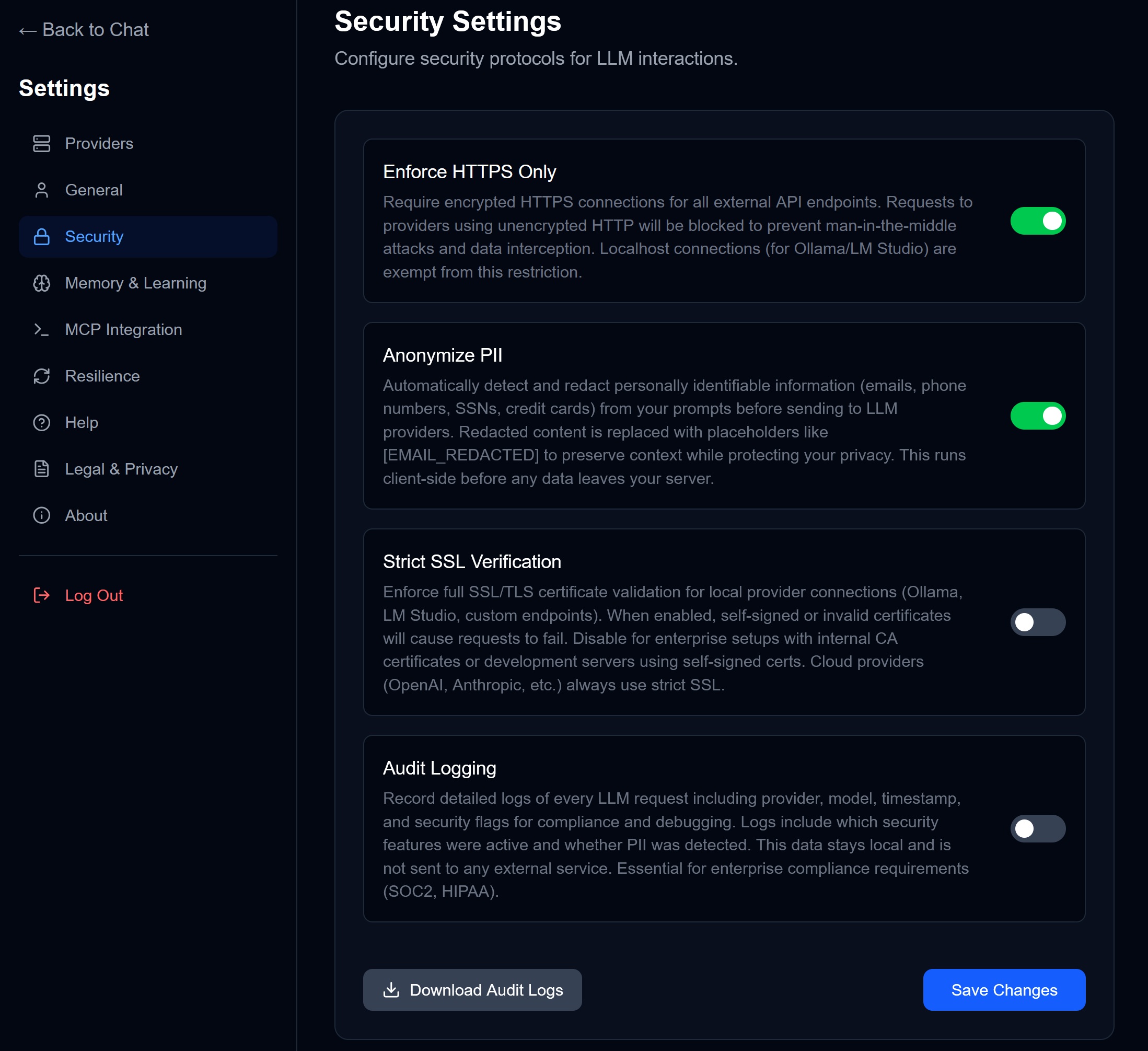
| Setting | What It Does |
|---|---|
| Enforce HTTPS | Block insecure connections |
| Anonymize PII | Redact personal info before sending |
| Strict SSL | Reject self-signed certificates |
| Audit Logging | Log all LLM requests locally |
Local-Only Mode
For maximum sovereignty, run Chorum with local models only:
- Install Ollama or LM Studio
- Configure the local provider in Settings
- Disable all cloud providers
In this mode, nothing leaves your machine. Your prompts, responses, and memory stay entirely local.
→ See Local-First for setup.
The Threat Model
What Chorum protects against:
| Threat | Protection |
|---|---|
| Someone with filesystem access | Sees encrypted blobs only |
| Accidental git commit | Useless ciphertext |
| Cloud backup (iCloud/Dropbox) | Syncs encrypted noise |
| Vendor goes away | You have portable export |
What Chorum doesn’t protect against:
| Threat | Reality |
|---|---|
| LLM provider sees your prompts | Unavoidable for cloud models |
| RAM during request | Content is cleartext temporarily |
| Man-in-the-middle | Protected by HTTPS/TLS |
Minimum attack surface: Content exists in cleartext only in RAM, only for the duration of a request.
Sovereignty Features
| Feature | Status | Documentation |
|---|---|---|
| Encrypted memory | ✓ Available | Encryption |
| Export/Import | ✓ Available | Export/Import |
| PII redaction | ✓ Available | PII Redaction |
| Local-only mode | ✓ Available | Local-First |
| Audit logging | ✓ Available | Security Settings |
Related Documentation
- Encryption — How your data is encrypted
- Export/Import — Backing up and moving your memory
- PII Redaction — Automatic privacy protection
- Local-First — Running entirely offline
- Security Settings — Configuring protections
“True sovereignty = you control the keys.”