Security Settings
Protect your data and ensure secure AI interactions.
Security Settings Overview
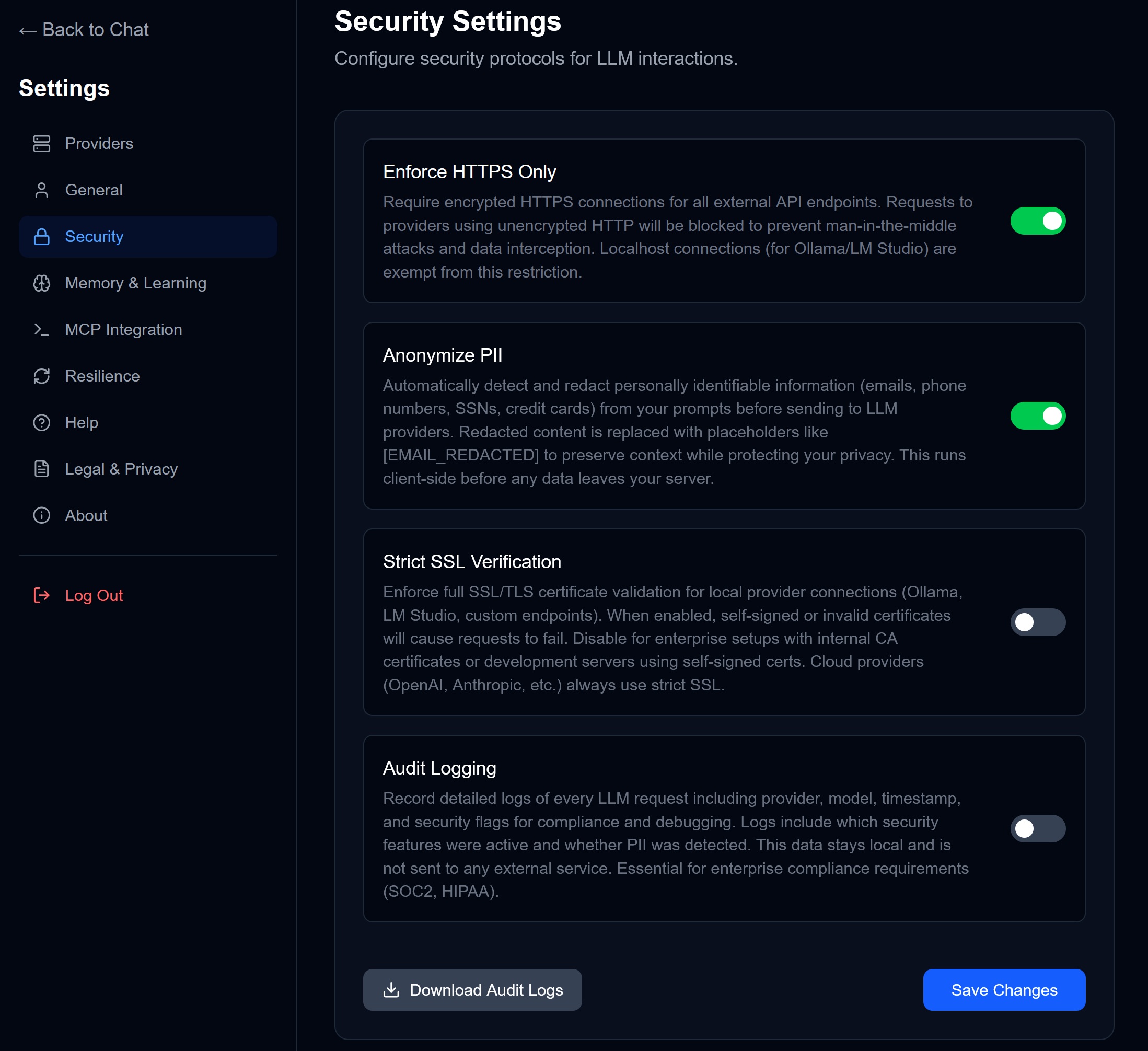
Access via Settings → Security.
Available Options
Enforce HTTPS Only
Status: Toggle on/off
Requires encrypted HTTPS connections for all external API calls. When enabled:
- Requests to HTTP endpoints are blocked
- Prevents man-in-the-middle attacks
- Localhost connections (Ollama, LM Studio) are exempt
Recommendation: Keep enabled unless debugging.
Anonymize PII
Status: Toggle on/off
Automatically detects and redacts personally identifiable information before sending to LLM providers:
| Detected | Replaced With |
|---|---|
| Email addresses | [EMAIL_REDACTED] |
| Phone numbers | [PHONE_REDACTED] |
| SSNs | [SSN_REDACTED] |
| Credit card numbers | [CC_REDACTED] |
This runs client-side before any data leaves your browser.
Recommendation: Enable if working with sensitive data.
Strict SSL Verification
Status: Toggle on/off
Enforces full SSL/TLS certificate validation for local provider connections:
- When enabled, self-signed certificates will fail
- Required for enterprise setups with internal CAs
- Cloud providers (OpenAI, Anthropic) always use strict SSL
When to disable: Development servers or home lab setups with self-signed certs.
Audit Logging
Status: Toggle on/off
Records detailed logs of every LLM request:
- Provider and model used
- Timestamp
- Security flags (PII detected, HTTPS enforced)
- Cost
Logs stay local and are not sent to any external service.
Use case: Compliance (SOC2, HIPAA), debugging, cost analysis.
Download Audit Logs
Click “Download Audit Logs” to export your security logs as JSON for review or compliance reporting.
Security Best Practices
- Enable HTTPS — Always, unless testing locally
- Enable PII Anonymization — If you ever paste customer data
- Disable Strict SSL — Only for local/development models
- Enable Audit Logging — For enterprise or regulated environments
→ Next: Resilience & Fallback