Understanding Providers
Providers are the AI brains behind Chorum. Here’s how they work.
What’s a Provider?
A provider is a company that runs AI models. Chorum supports many:
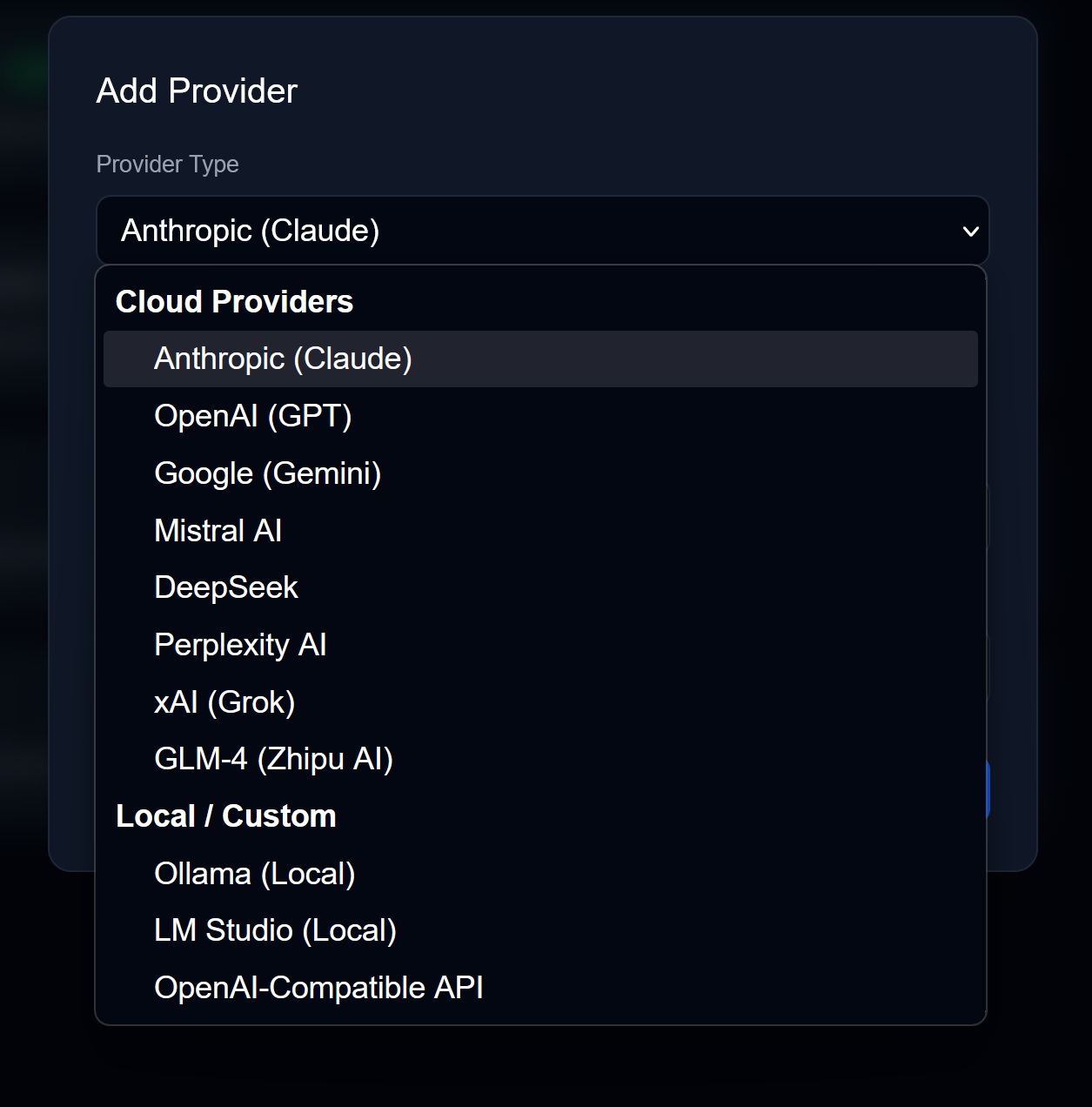
| Provider | Models | Known For |
|---|---|---|
| Anthropic | Claude 4 Sonnet, Claude Opus | Thoughtful reasoning, safety |
| OpenAI | GPT-4 Turbo, GPT-4o | Versatility, code generation |
| Gemini 1.5 Pro | Long context, multimodal | |
| DeepSeek | DeepSeek models | Cost-effective reasoning |
| Perplexity | Perplexity AI | Search-augmented |
| xAI | Grok | Real-time info, unfiltered |
| GLM-4 | Zhipu AI models | Chinese language support |
| Local | Ollama, LM Studio | Privacy, no cost |
Each provider has different strengths, costs, and quirks.
How Routing Works
When you send a message, Chorum’s router decides which provider to use:
Your Message
     ↓
[What kind of task is this?]
     ↓
[Which providers can handle it?]
     ↓
[Which are under budget?]
     ↓
[Pick the cheapest capable one]
     ↓
Send to Provider
Task Types
The router detects task type automatically:
| If Your Message Looks Like… | Router Thinks… | Routes To… |
|---|---|---|
| ”Analyze this dataset” | Deep reasoning | Opus/GPT-4 |
| ”Write a poem” | Creative/balanced | Sonnet |
| ”Summarize this doc” | Fast/simple | Haiku |
| ”Review this code” | Code analysis | GPT-4/Sonnet |
You can override this. But the router is pretty good.
Cost Comparison
Rough cost per 1M tokens (as of 2025):
| Model | Input | Output |
|---|---|---|
| Claude Opus | $15 | $75 |
| GPT-4 Turbo | $10 | $30 |
| Claude Sonnet | $3 | $15 |
| GPT-4o | $5 | $15 |
| Claude Haiku | $0.25 | $1.25 |
| Gemini 1.5 Pro | $1.25 | $5 |
| Local (Ollama) | $0 | $0 |
The router factors this in. For simple questions, it’ll prefer cheaper models.
Setting Up Providers
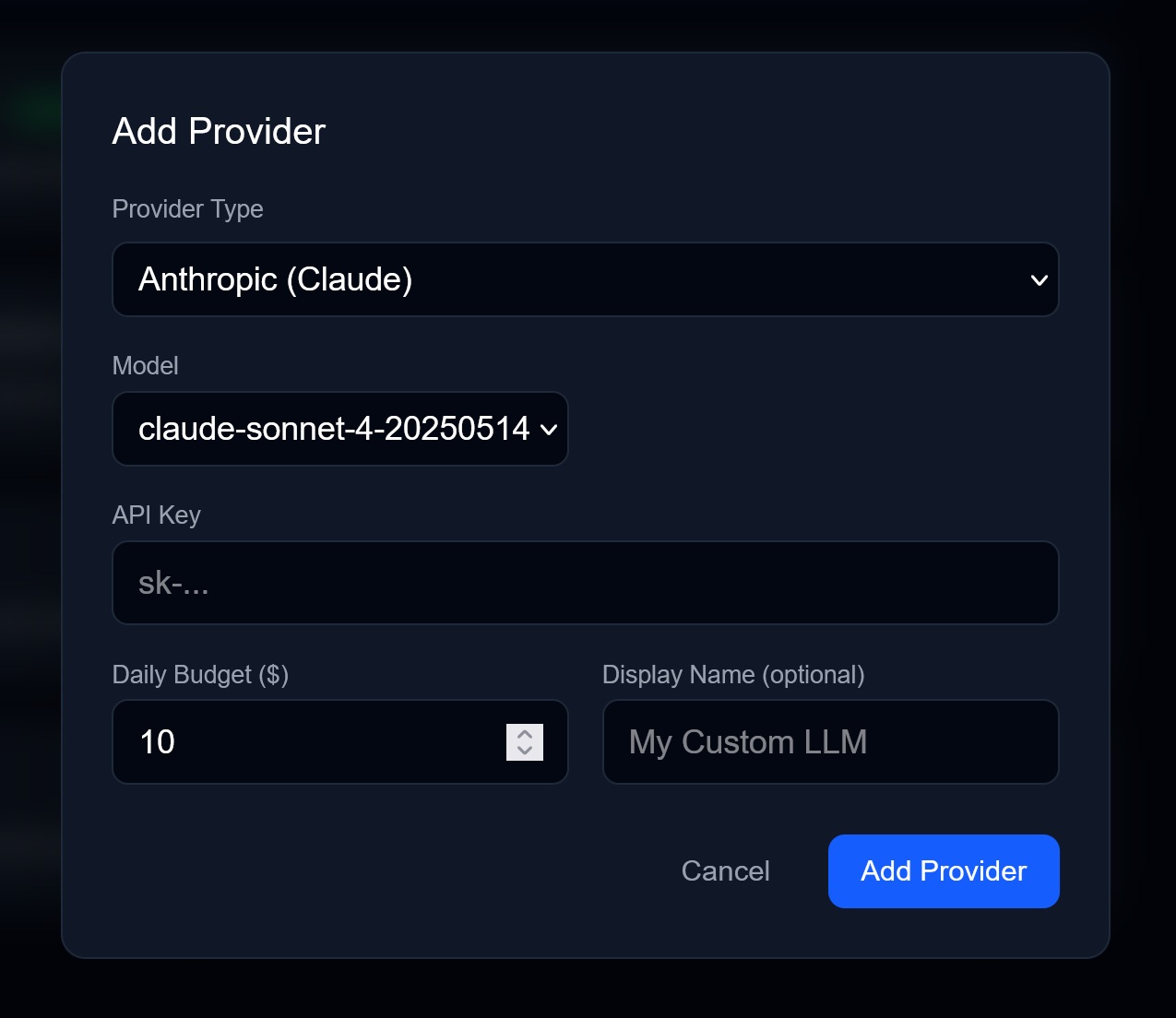
- Go to Settings → Providers
- Click Add Provider
- Select a provider from the dropdown
- Paste your API key
- (Optional) Set a daily budget
Where to Get API Keys
| Provider | URL |
|---|---|
| Anthropic | console.anthropic.com |
| OpenAI | platform.openai.com/api-keys |
| aistudio.google.com/apikey | |
| xAI | console.x.ai |
Local Models (Free)
Want to run models on your own hardware?
- Install Ollama or LM Studio
- Pull a model:
ollama pull llama3orollama pull phi3 - In Chorum, add Ollama/LM Studio as a provider
- No API key needed
Local models are slower but completely private and free.
Budgets
Set daily spending limits per provider:
- Go to Settings → Providers
- Click on a provider
- Set Daily Budget (e.g., $5.00)
When you hit the limit, that provider becomes unavailable until tomorrow. The router will fall back to cheaper providers or warn you.
Fallbacks
If your preferred provider is down or over budget, Chorum automatically falls back:
Primary: Claude Sonnet → GPT-4o → Gemini → LocalYou can configure this chain in Settings → Resilience.
Which Provider Should I Use?
New to AI? Start with Claude Sonnet. It’s the best balance of capability and cost.
On a tight budget? Use local models (Ollama with Llama 3 or Phi-3).
Need the absolute best? Force Claude Opus or GPT-4 for complex reasoning.
Processing huge documents? Use Gemini 1.5 Pro (1M token context).
→ Next: Provider Selector