Budget Management
Control your AI spending with daily budgets per provider.
Why Budgets Matter
AI APIs charge per token. Without limits, a busy day could mean surprise bills. Chorum lets you set per-provider daily caps so you stay in control.
Setting a Budget
When adding or editing a provider:
- Enter the Daily Budget ($) field
- This is the maximum Chorum will spend on that provider per day
- Once reached, requests will route to other available providers
Budget Display
The Providers tab shows your spending at a glance:
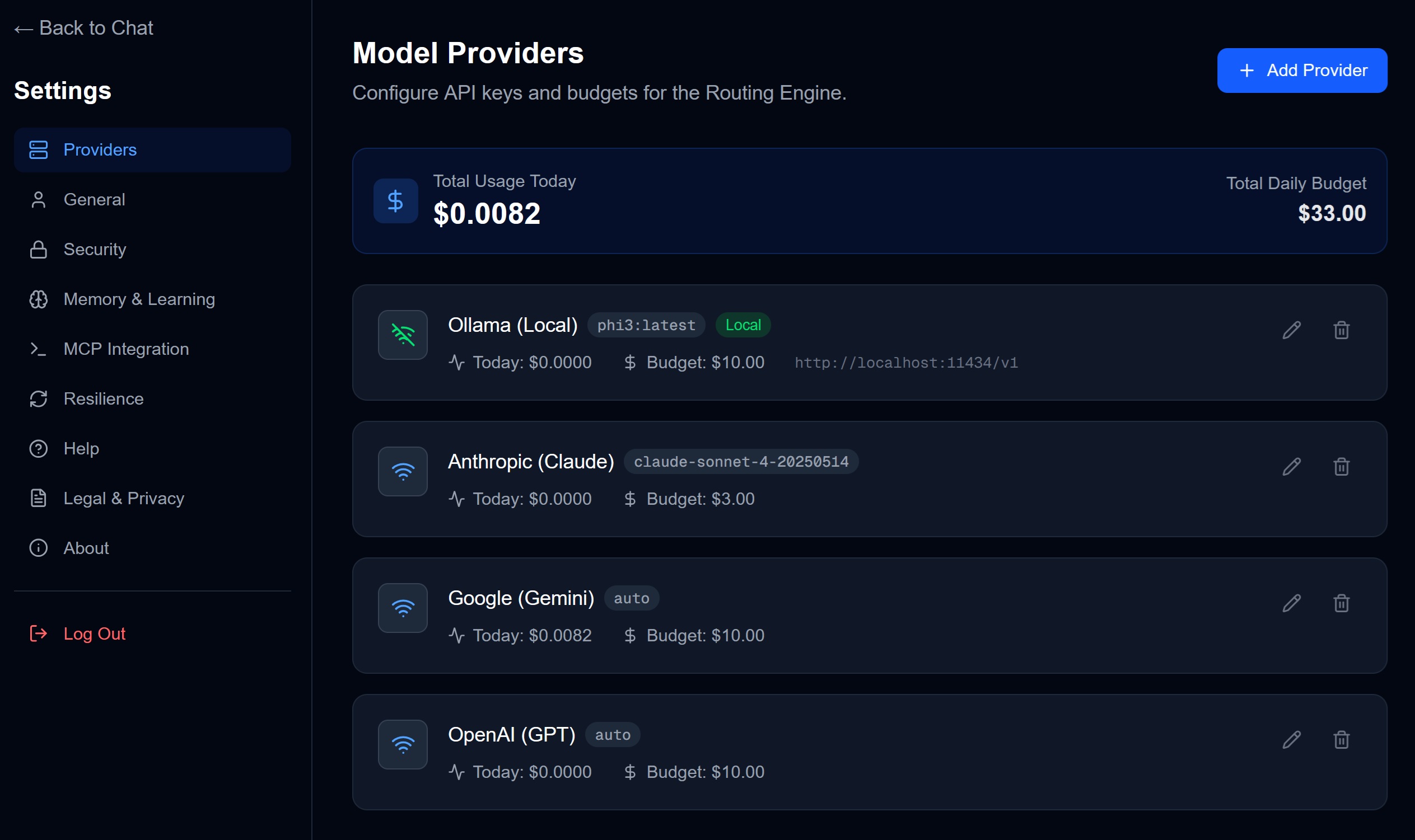
For each provider you’ll see:
- Spent Today — Current usage in dollars
- Daily Budget — Your set limit
- Progress Bar — Visual indicator of remaining budget
How Budget Enforcement Works
| Scenario | What Happens |
|---|---|
| Budget at 80% | Normal operation |
| Budget at 100% | Provider disabled for the day |
| All budgets exhausted | Error message (or local fallback if configured) |
Multi-Provider Strategy
Smart budget allocation:
| Provider | Suggested Budget | Use Case |
|---|---|---|
| Claude | $5/day | Complex reasoning |
| GPT-4 | $3/day | General tasks |
| Gemini | $2/day | Quick queries |
| Ollama | $0 (free) | Backup/offline |
This gives you $10/day total with local fallback.
Tips
- Budgets reset at midnight UTC
- $0 budget means unlimited (use carefully!)
- Local models (Ollama, LM Studio) have no cost
- Auto-routing will prefer cheaper providers when quality is similar
Tracking Total Spend
The top of the Providers tab shows:
- Total Usage Today: Sum across all providers
- Total Daily Budget: Sum of all individual budgets
→ Next: Security Settings