Resilience & Fallback
Keep chatting even when providers fail.
Resilience Settings Overview
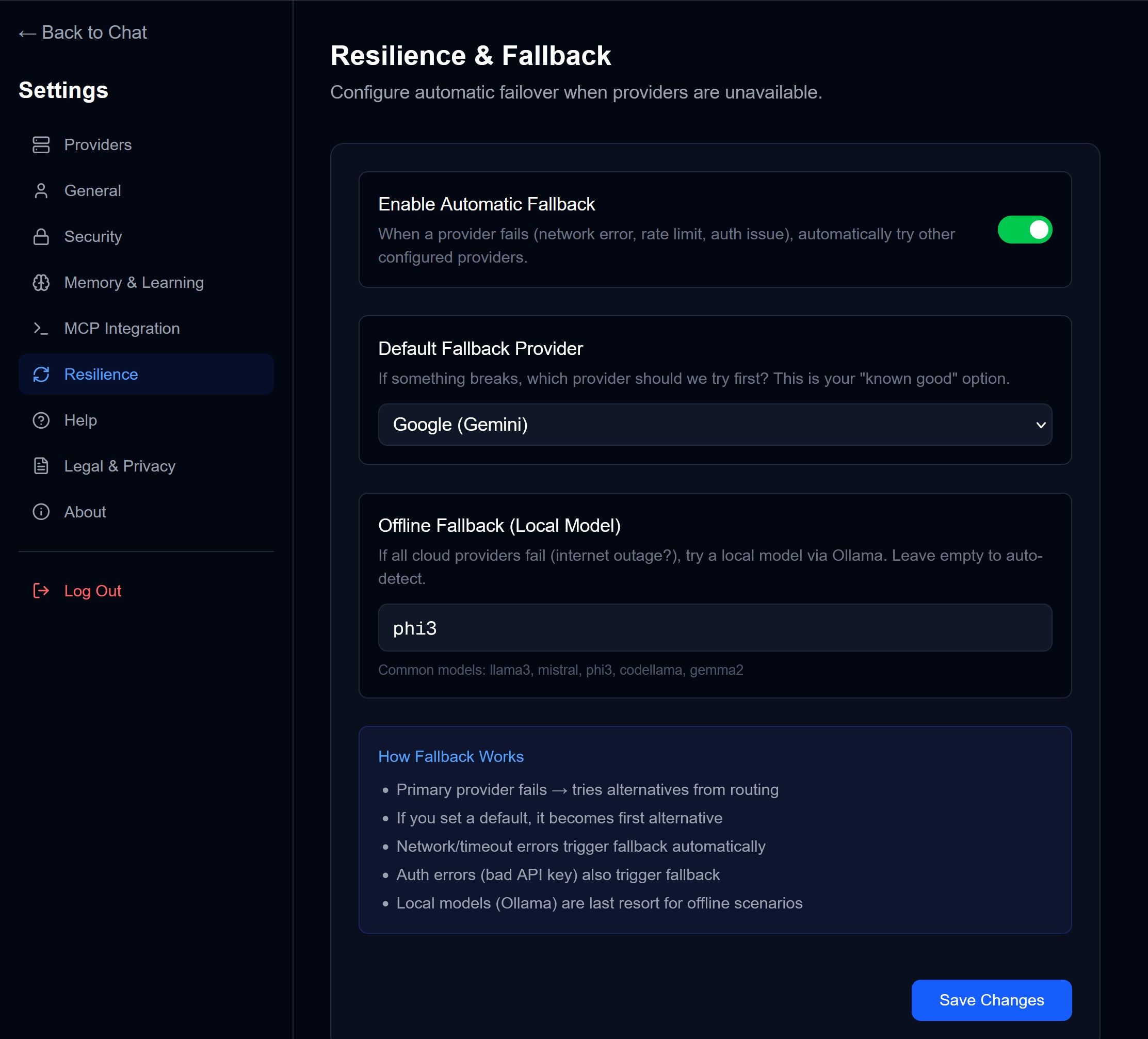
Access via Settings → Resilience.
Why Resilience Matters
AI APIs can fail:
- Rate limits when you hit usage caps
- Network errors during connectivity issues
- Auth failures when keys expire
- Outages when providers go down
Chorum’s fallback system automatically switches to alternatives so you’re never stuck.
Settings Explained
Enable Automatic Fallback
Toggle: On/Off
When enabled:
- Primary provider fails → automatically tries next configured provider
- Happens silently in the background
- You see the response, not the failure
Default Fallback Provider
Dropdown selection
If something breaks, which provider should Chorum try first?
This is your “known good” choice — typically your most reliable or cheapest provider.
Example: Set to Google (Gemini) as a reliable, cost-effective backup.
Offline Fallback (Local Model)
Text field — Enter a local model name
If all cloud providers fail (internet outage?), Chorum will try a local model via Ollama.
Common options:
llama3— Good balance of speed and qualitymistral— Fast, lightweightphi3— Microsoft’s efficient modelcodellama— For code-heavy workgemma2— Google’s local model
Leave empty to skip local fallback.
How Fallback Works
The decision chain:
1. Primary provider fails
   ↓
2. Try default fallback provider
   ↓
3. Try other configured cloud providers
   ↓
4. Try local model (if configured)
   ↓
5. Show error (only if all fail)
What Triggers Fallback
| Trigger | Description |
|---|---|
| Network/timeout error | Connection issues |
| Rate limit (429) | Too many requests |
| Auth error (401/403) | Bad or expired API key |
| Server error (500+) | Provider-side issues |
| Budget exhausted | Daily limit reached |
Best Practices
- Configure 2+ cloud providers — Diversity = reliability
- Set a default fallback — Your “safe” choice
- Add a local model — True offline capability
- Test your fallback — Disable a provider and verify switching works
Example Setup
| Role | Provider | Notes |
|---|---|---|
| Primary | Claude | Best for complex reasoning |
| Default Fallback | Gemini | Fast, reliable, affordable |
| Second Cloud | GPT-4 | Different perspective |
| Local Backup | phi3 | Works offline |
This setup means you’d need cloud + local to all fail before seeing an error.
→ Back to: Settings Overview